01Capture
Import an invoice from a photo or PDF
AI extracts the client, dates, line items, tax, currency, and payment terms into a draft you review before anything is saved.
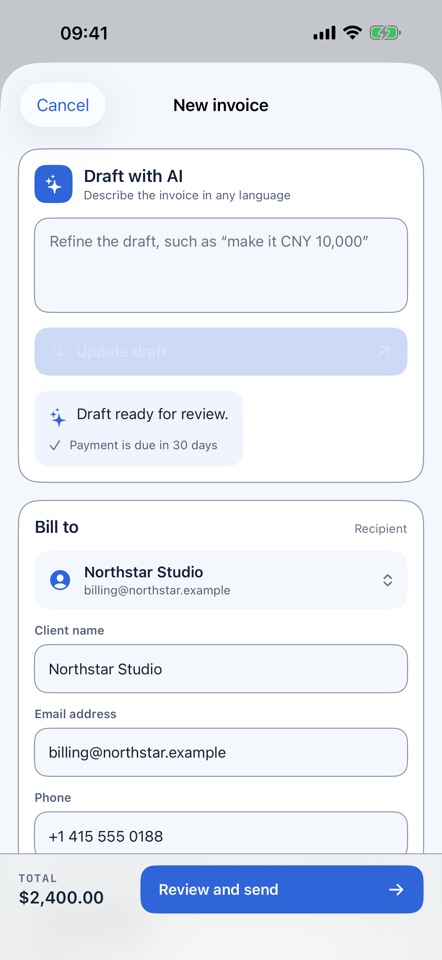
Describe the work in plain English. AI builds the invoice, drafts the cover email, and follows up in the right tone until your client pays.
Hi Morgan,
A quick reminder that invoice INV-284 for $4,860.00 is due today. You can review and pay it using the link below.
If you have already arranged payment, no action is needed.
Best,
Alex
From brief to invoice
Write one sentence about the client, work, price, tax, currency, and terms. AI turns it into a structured invoice you can edit, download, or send with a payment link.
Build an invoice with AIInvoice Juniper Works for brand strategy, 3 workshops at $950 each, plus a $1,400 research report. USD, Net 14.
New across the workflow
Invoice Reminder now keeps the work after sending in the same place: client responses, payment plans, balances, and the next action.
AI extracts the client, dates, line items, tax, currency, and payment terms into a draft you review before anything is saved.
Clients can report a payment, promise a date, request more time, propose installments, raise an issue, or route the invoice to accounts payable.
Track partial payments, approved plans, client replies, and the remaining balance while reminders pause when a response needs your review.
Collection analytics and a weekly digest surface overdue balances, recent movement, and cases that need a decision.
From brief to paid
Start with a sentence
Before anything is sent
Before and after the due date
Payment received
Who it is for
The strongest fit is independent client work and lean teams where every overdue invoice affects cash flow and every message affects a relationship.
Create a client-ready invoice quickly, then follow up consistently without turning payment into a personal confrontation.
Keep several invoices, due dates, and client conversations moving without adding another spreadsheet or weekly admin block.
Give recurring retainers and project invoices a repeatable collection process while keeping every message client-appropriate.
For 200+ invoices per month, multi-user workflows, and tailored rollout needs, talk with us about an enterprise setup.
Your voice stays intact
Every draft uses the invoice amount, due date, client, and stage of the follow-up. You stay in control without writing the same email four times.
Create your first reminderA quick note about invoice INV-284
Following up on invoice INV-284
Payment timing for invoice INV-284
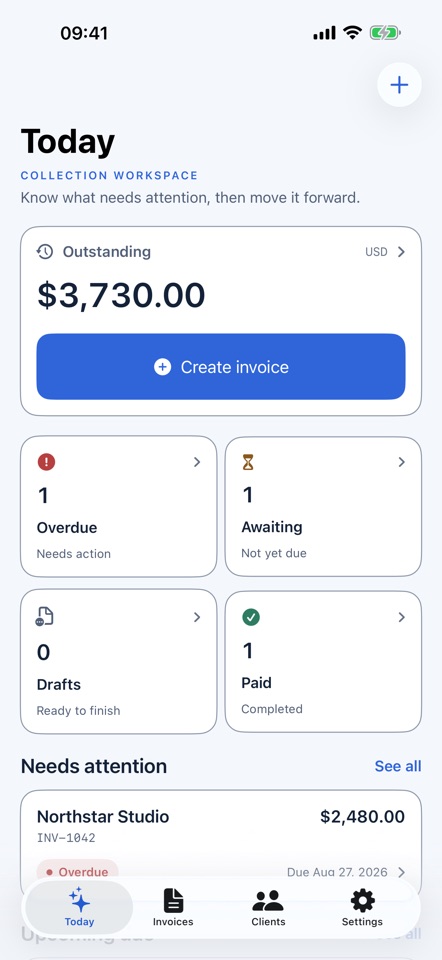
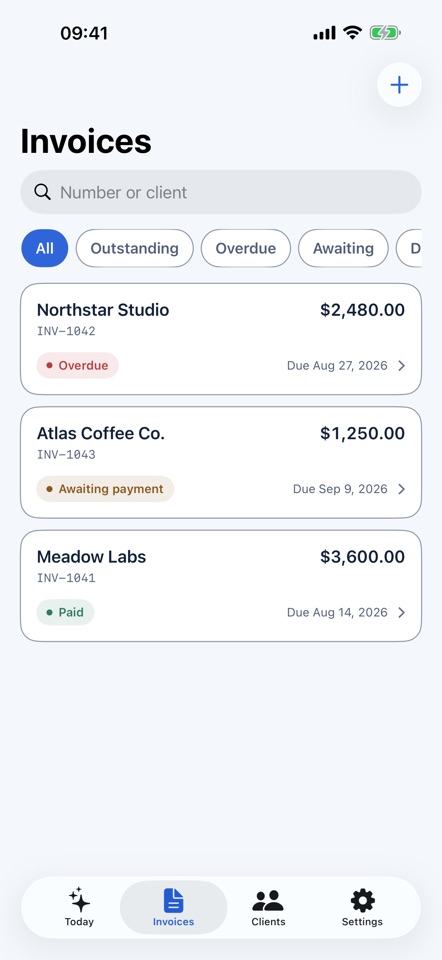
Invoice Reminder for iPhone
Create invoices with AI, check what is overdue, review balances, and follow up from the same account you use on the web.
Ready when the invoice is
Set up your first reminder in about two minutes.
Start free